Your 2FA codes, right where your passwords are.
Stop hunting through a second app. ZZPass keeps each site's code with its login, fills it in for you, and brings it to every device you own.

Free on every plan. No second app.

Why keep two apps when one will do?
With the code next to the password, signing in is one step, and losing your phone doesn't mean losing your codes.
Filled in for you
On iOS 18 and macOS 15 the code appears right where you sign in. On older versions, turn on Copy Verification Code on AutoFill and it’s copied when ZZPass fills the password.
Not lost with your phone
Codes sync through your iCloud with the rest of your vault. A new phone has them all.
Shared with the login
Share a login with your family and its code comes too, so nobody has to ask you for it.

Password filled. Code ready.
Tap the login field and ZZPass fills the password. When the site asks for the code, it's already offered above the keyboard, or waiting on your clipboard to paste.
How AutoFill works →Add a code in under a minute.
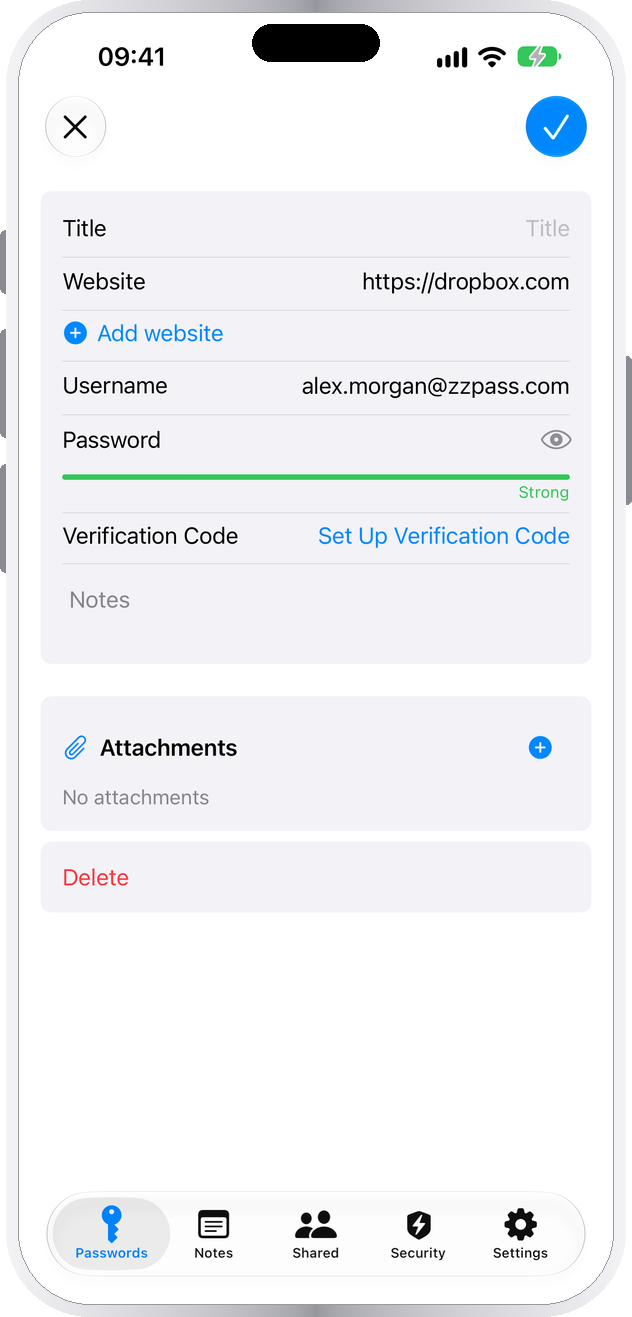
Edit the login
Tap Edit, then Set Up Verification Code.
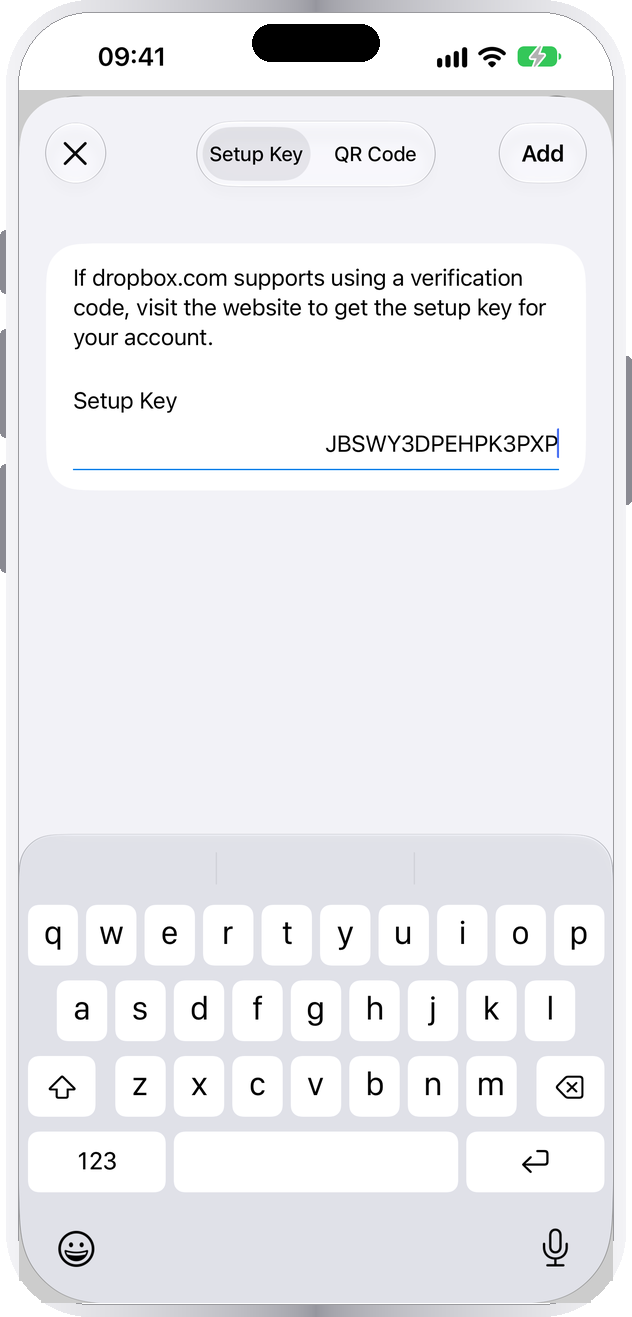
Scan the QR code
Point the camera at the site's code, or paste its setup key.
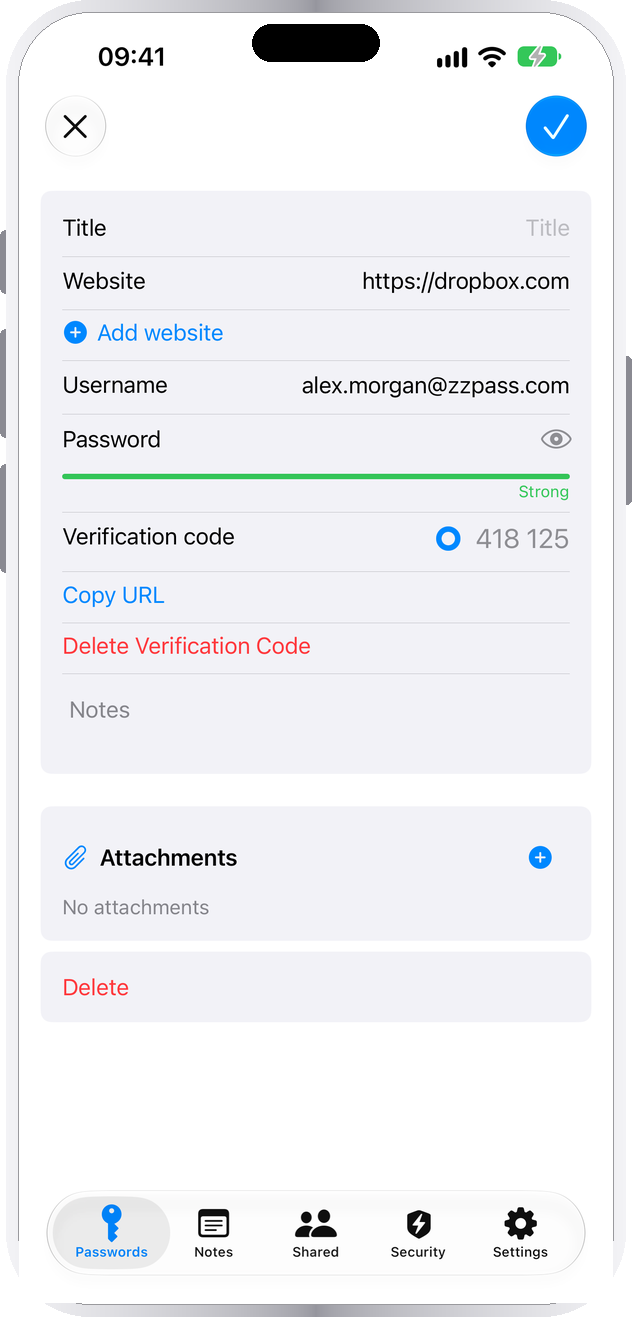
Done
Save, and the code is ready on every device.


Scan this. Watch the codes match.
This is a real code for a demo account. Add it to ZZPass and your phone shows the same six digits as this page, changing at the same moment.
It's only a demo, so delete it afterwards with Delete Verification Code.
